The Bulletproof Client Handoff Framework
Protect your builds from human error. Here is how to keep clients from estroying your design.

Make website previews for Instagram Reels and TikTok without losing the design in a tall canvas. Choose footage, frame it clearly, and export with PreviewKit.
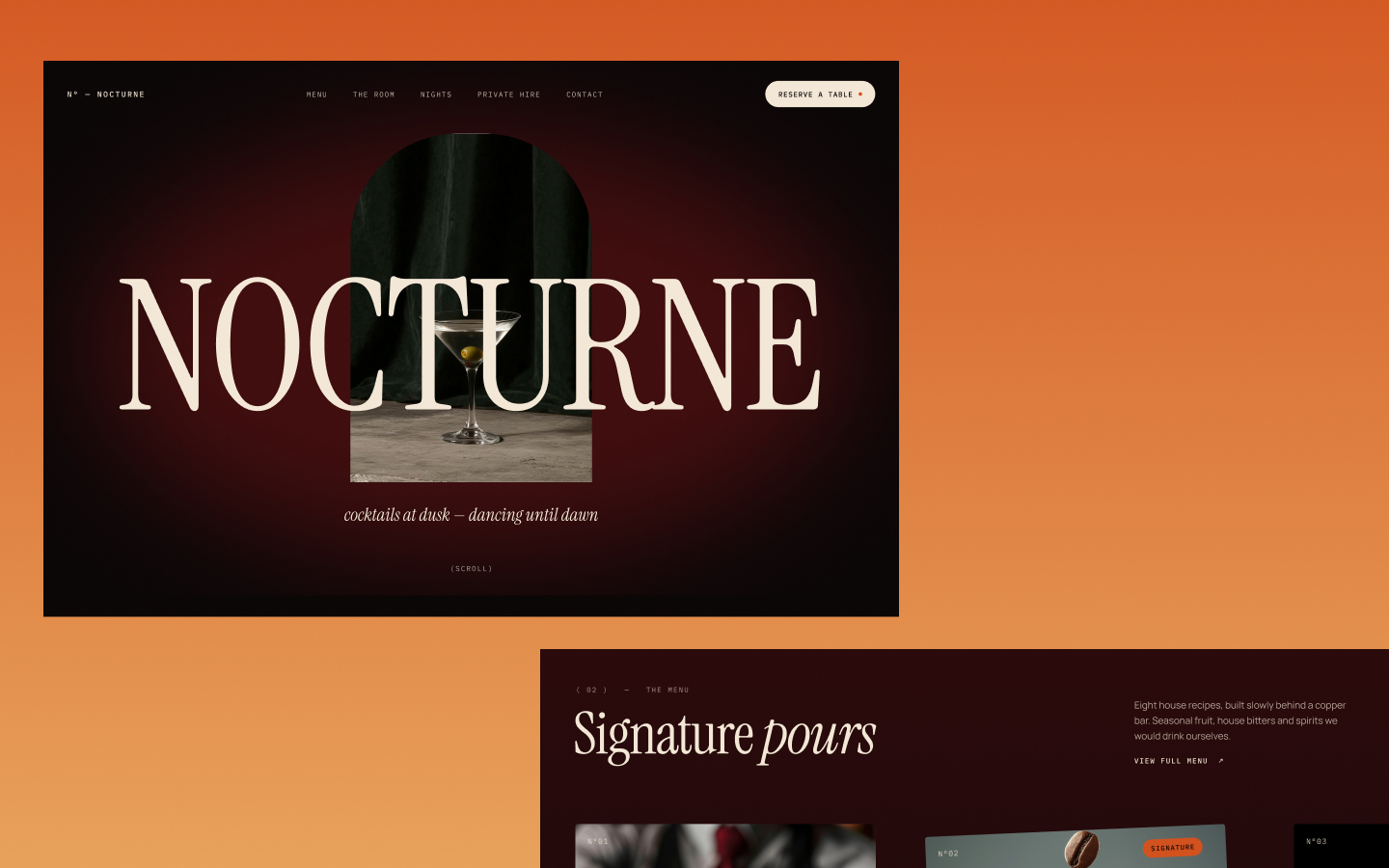
To make a website preview for Instagram Reels or TikTok, start by deciding whether you are showing the desktop design or the mobile design. Then choose footage and a mockup that keep that version clear inside a vertical composition. PreviewKit lets you capture a website URL or upload an MP4, select a visual mockup and social media size preset, and export the result.
A tall canvas does not automatically make a desktop website readable on a phone. The screen area inside your chosen scene determines how much of the design people can actually see.
If the point is a desktop homepage reveal, show the desktop design honestly. Its broad layout may be part of the appeal. If the point is responsive design, capture the actual mobile layout and make that the subject.
A vertical video is the shape of the exported asset. A mobile website is a layout rendered for a smaller viewport. Those are different things. Changing the output shape does not turn desktop footage into a demonstration of the mobile site.
Large imagery, clear section changes, and strong typography are useful starting points for a website overview. A dense table or a row of tiny navigation links requires a closer presentation if those details matter to the post.
For example, imagine a portfolio with a large project image followed by a grid. A preview can introduce the image and then reveal the grid. It does not need to rush through every project, the about page, and the contact form in the same recording.
Use URL capture in PreviewKit for a website overview, or upload a manually recorded MP4 when the exact movement matters. If your source footage is difficult to follow, fix that before adding a scene.
After choosing the social media size preset, compare how much space the website occupies in the composition. A device placed far away within an elaborate scene may look attractive while making the actual website hard to recognize.
Choose a mockup with a more prominent screen when readability matters. PreviewKit has 34 device and website mockups, so the scene can follow the needs of the footage.
For a dark website, check that its boundaries are visible against the background. For a colorful website, start with a less distracting background. Our video mockup guide covers those choices in more detail.
Pause the exported video at the beginning. Can you tell what kind of work is being shown? A clear website view gives the post a useful starting point. A loading state, empty section, or partially hidden hero asks the viewer to wait for the design.
Then watch the video without sound. The website preview should still make sense. If you plan to add music, captions, cuts, or other effects, use your separate editing or posting workflow for those elements. They are not assumed PreviewKit features.
Review the exported MP4 on a phone, then inspect it in the destination app's posting preview. Look for important content hidden by interface elements and check that the website still reads clearly after upload.
Do not use a single fixed margin as a guarantee for every placement. The useful check is the actual composition in the destination where you intend to publish it.
If you also want a still image, export a PNG. Make each export separately and keep the session open while you finish. PreviewKit currently has no multi-export or saved projects between sessions, and refreshing the page loses the current project.
Pair the preview with a specific caption: “The mobile version of a portfolio I just finished,” or “A closer look at the project grid on this new website.” Match the words to what the recording actually shows.
The full website sharing workflow can help you plan the post from the beginning. If your footage is ready, open PreviewKit to frame and export it.
Powerful, self-serve product and growth analytics to help you convert, engage.

Let's bring your vision to life with standout design and expert development. Reach out to start building something exceptional together!